

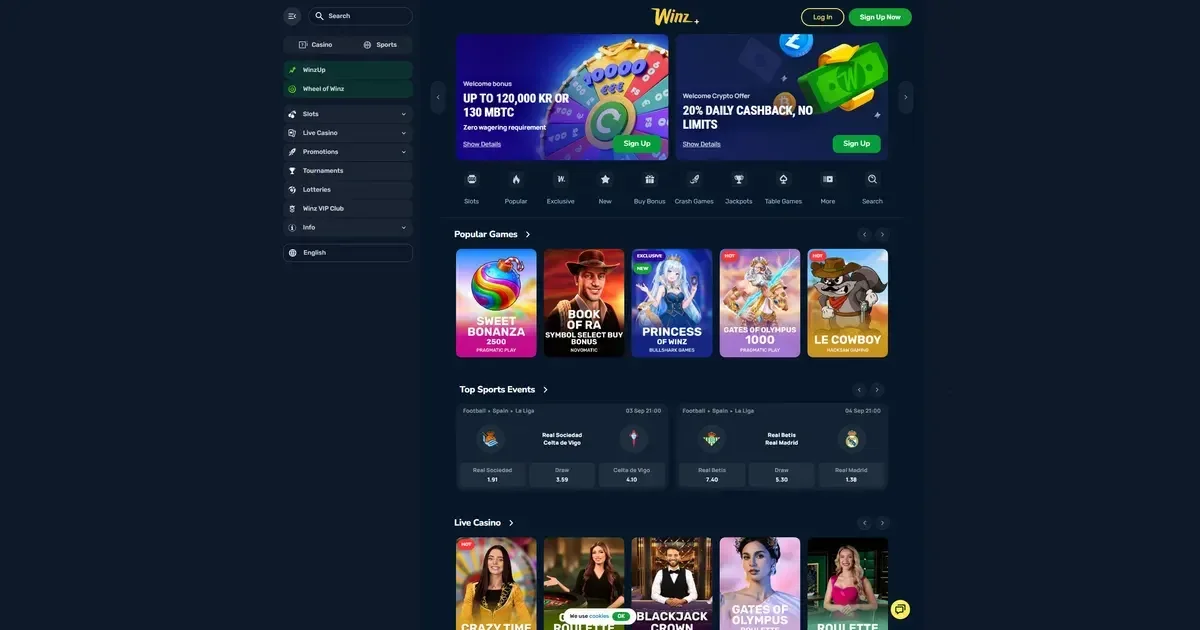
Your Winz account lives on the operator's own platform, not on this portal. Only the operator can verify, unlock or restore access to it – we provide information about how the process works, but the account itself is entirely under the operator's control.
Signing in to your Winz account
Access your account through the operator's website by following these steps:
- Navigate to the Winz website using your saved bookmark or by typing the address directly into your browser.
- Locate and click the sign-in button on the operator's homepage.
- Enter the email address you provided during registration.
- Enter the password you created when you opened your account.
- Click the button to confirm and access your account dashboard.
If you don't have an account yet, registration also takes place on the operator's platform – this portal does not handle account creation.
When signing in doesn't work
A handful of common causes explain most login failures:
- Wrong credentials – Double-check the email and password you're entering. Caps Lock being on is a frequent culprit for password errors.
- Account not verified – If you haven't completed identity verification, the operator may restrict access until you submit the required documents. According to the operator's terms, verification is required for cumulative withdrawals over €2,000 or before processing withdrawals, and documents must be submitted within two weeks of the request – accounts that miss this deadline are blocked.
- Browser or session issue – Clear your browser's cache and cookies, or try signing in using a private browsing window.
- Self-exclusion in force – If you previously set up a self-exclusion period, access remains blocked until that period expires. This is deliberate and cannot be bypassed.
- Regional restrictions – The operator does not accept players from certain countries. Real money play is prohibited in the Canadian provinces of New Brunswick and Ontario, and a full list of restricted territories appears in the operator's terms.
If none of these apply and you still can't get in, contact the operator's support team directly – the channels are covered below.
How to recover a forgotten password
The operator provides a password reset route on its sign-in page. Click the link labelled for forgotten passwords, enter the email address you used at registration, and the operator will send a reset link to that inbox. Follow the link and create a new password.
If you no longer have access to the email address you registered with, you'll need to reach the operator's support team. They'll ask you to verify your identity before they can help – have your registration details to hand when you write.
Accessing your account from a phone
Sign in from a mobile browser the same way you would on desktop: open the operator's site, tap the sign-in button, and enter your credentials. The account and password are identical across devices.
No dedicated mobile app is mentioned in the operator's published materials – access on mobile happens through the browser.
Why an account gets blocked or restricted
Several operator policies can temporarily or permanently restrict access:
| Cause | What happens |
|---|---|
| Verification not completed within two weeks | Account blocked; funds and winnings forfeited |
| Self-exclusion activated | Access locked for the chosen period |
| Suspected bonus abuse | Account review; possible suspension |
| Inactive for 12 consecutive months | Monthly fee of €20 charged from remaining balance |
| Playing from a restricted country | Account closure; withdrawal of funds |
If you believe your account has been restricted in error, contact the operator – third-party portals like this one have no access to account status.
Who to contact when you need help
The operator runs support through two channels: live chat and email ([email protected]). Both are available 24 hours a day, seven days a week, and support is offered in English and German.
Before you write, gather the following details to speed things up: the email address you used at registration, when the problem started, and the exact wording of any error message you're seeing on screen. The more specific you can be, the faster support can trace what's gone wrong.
Keeping your account access safe
A few straightforward habits reduce the risk of someone else getting into your account:
- Sign in only on the operator's own website – type the address yourself or use a bookmark you created, never click a link in an email or a message.
- Use a password that doesn't appear anywhere else. If another site you use is compromised, a unique password here keeps this account secure.
- Sign out when you're done, especially on a device other people use.
The operator's terms mention telephone and video verification as enhanced security checks – these are initiated by the operator when needed, never by a third party.
Gambling should be entertainment, not a chore. If accessing your account feels like an obligation rather than a choice, that's worth noticing. Free, confidential support is available through GamCare (National Gambling Helpline: 0808 8020 133, 24/7) and BeGambleAware. For self-exclusion across all UK-licensed sites, visit GamStop. You must be 18 or over (18+) to hold an account with any licensed operator.
This page is for information and marketing purposes only. We are not a casino operator, a bookmaker or an organiser of gambling. Access to this content is restricted to persons aged 18 and over (18+). We encourage you to gamble responsibly – for free, confidential support visit BeGambleAware.org.